Facebook & Instagram Ads with a WhatsApp Button: Click-to-WhatsApp Ad Setup for Small Shops (Card pe address hi nahi)
Ad sab dekhte hain. Baat tabhi hoti hai jab ad mein "address" ho: WhatsApp ka button.
 PDF
Free · no signup
Print karo, pen se tick karo
- ✓8-point tick-box checklist
- ✓3 copy-paste WhatsApp templates
- ✓Aaj ka 5-minute kaam
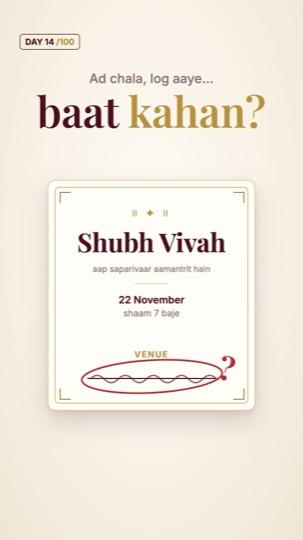
Ad chala, log aaye… baat kahan?
Example: Imran ne Diwali pe apni toy shop ka ad chalaya. Hazaaron logon ne dekha, kuch ne click bhi kiya, aur pahunche seedha profile pe. Wahan koi message button nahi, koi offer nahi, koi agla step nahi. Ye waise hi hai jaise shaadi ka card chhapwaya ho aur venue ka address daalna bhool gaye. Meta (Facebook aur Instagram) ke ads mein ek button milta hai: "Send WhatsApp message". Jo click kare, seedha aapke WhatsApp pe pahunchta hai. Imran ne ad isi button ke saath chalaya, aur Pallavi ne Bhai Dooj ka gift seedha WhatsApp pe pooch ke pack karwa liya.
WhatsApp-button ad: setup checklist
0/8Copy-paste messages
Pehla auto-message (ad se aaye log)
Product photo ke saath reply
Follow-up (agle din)
Upar Imran, Pallavi aur toy shop example hain; views ke numbers bhi example hain. Meta ke menu ke naam aur goals waqt ke saath badal sakte hain. Agar aap chahte hain ki hum aapka ad WhatsApp button ke saath set karein, WhatsApp karein.
Aaj ka kaam: apna Facebook Page kholo aur check karo ki WhatsApp Business number juda hai ya nahi. Phir apne pichle ad ka button dekho: "Learn more" tha ya "Send WhatsApp message"?
No time to do it yourself?
Vistrow sets all of this up for your business: Google profile, reviews, website and leads.
Chat on WhatsApp: 90670 97779