
A practical guide to DLT registration for SMS in India: the entity, header and template layers, what changed under TRAI in 2025, and the exact mismatches that get a message dropped before it reaches the buyer.
Search and explore the blog
Explore the blog
Category
Suggested reading
- Business Automation
WhatsApp Automation for Real Estate: Follow-up Templates for Each Stage and Meta's Rules
9 min read
- Business Automation
WhatsApp Business API Pricing in India (2026): What 2,000 Leads a Month Actually Costs
8 min read
- Business Automation
Marketing Automation Workflows in 2026: Six to Run First and What Each One Needs
8 min read
DLT registration for SMS is the TRAI-mandated process for sending commercial texts in India: you register your business as a Principal Entity, register sender headers, and get every message template approved. Operators check each SMS against those records, and a mismatch means it is not delivered. Vendors quote about Rs 5,000 to 5,900 one time for entity registration.
The frustrating part is that a blocked message rarely announces itself. A site-visit reminder goes out on a Friday evening, your tool says submitted, and the buyer never sees anything. Usually someone changed one word, added a link, or pushed a name into a variable that was a few characters too short.
This guide covers the three layers, what changed under TRAI in 2025, the specific reasons messages get blocked, and a worked example using a builder's site-visit reminder. Where a figure comes from a vendor and not from TRAI, it is labelled as indicative.
What is DLT registration for SMS and how do its three layers work?
DLT stands for Distributed Ledger Technology, and in practice it is the system TRAI uses to record who may send commercial SMS, under which sender name, and with which exact wording. The rules sit under the Telecom Commercial Communications Customer Preference Regulations, usually shortened to TCCCPR, and TRAI publishes its material at trai.gov.in.
The first layer is the Principal Entity, which is your business. You register it once on an operator's DLT portal with your business documents. The second layer is the sender header, the short alphanumeric name that appears on the recipient's phone instead of a number. The third layer is the template: every message text you want to send must be approved beforehand, with variable slots marked where the content changes per person.
When someone says they need DLT registration for SMS, they mean all three layers, not only the entity. Getting the entity approved and then skipping header and template work is a very common reason a first test send fails.
What does it cost and what changed under TRAI in 2025?
Vendor sources commonly quote about Rs 5,000 to 5,900 as a one-time fee for entity registration on the first operator portal. That figure comes from vendors, not TRAI, so treat it as indicative. Header and template fees vary by operator, which means the only dependable number is the one shown on the portal you are actually registering with.
On the regulatory side, TRAI notified its Second Amendment Regulations on 12 February 2025. The direction is clear: all commercial communications must go through registered headers, with standardised identifiers and, according to reports, higher penalties for misuse. A TRAI direction of 30 November 2024 had already targeted the misuse of headers and templates.
Vendors also report 2025 and 2026 changes such as header suffixes, variable tagging and URL whitelisting. These are easy to get wrong when read second-hand, because each operator applies them on its own portal and on its own schedule. Confirm every one of them on your operator portal before you plan a campaign around it.
| Item | What is commonly reported | Where to confirm |
|---|---|---|
| Entity registration | About Rs 5,000 to 5,900, one time, first operator portal | Your operator's DLT portal |
| Header registration | Varies by operator | Fee schedule on the portal |
| Template approval | Varies by operator | Fee schedule on the portal |
Why do SMS messages get blocked after DLT registration?
Operators scrub each SMS against your header and template at the gateway. Vendors report error codes such as template mismatch when a message fails that check. The rule is simple and unforgiving: the message you send must be the message that was approved, with only the variable slots changing.
A handful of causes explain most failures. Nearly all of them are small edits that feel harmless to the person making them, which is why the same problem returns after every copy tweak or new campaign. Registration is a one-time job, but the blocks come from drift afterwards.
- Template text differs from the approved text, even by one word or a changed punctuation mark.
- A variable is too long or the wrong type for the slot it fills.
- A link in the message is not whitelisted.
- The wrong header or category is used, for example a service message sent under a promotional setup.
- Promotional messages are sent to numbers on the DND list.
A worked example: a builder's site-visit reminder template
Take a builder's reminder for a booked site visit. The approved template reads: Hi {#var#}, your site visit to {#var#} is confirmed for {#var#}. Call us to reschedule. The three variables hold the buyer's name, the project name, and the date and time.
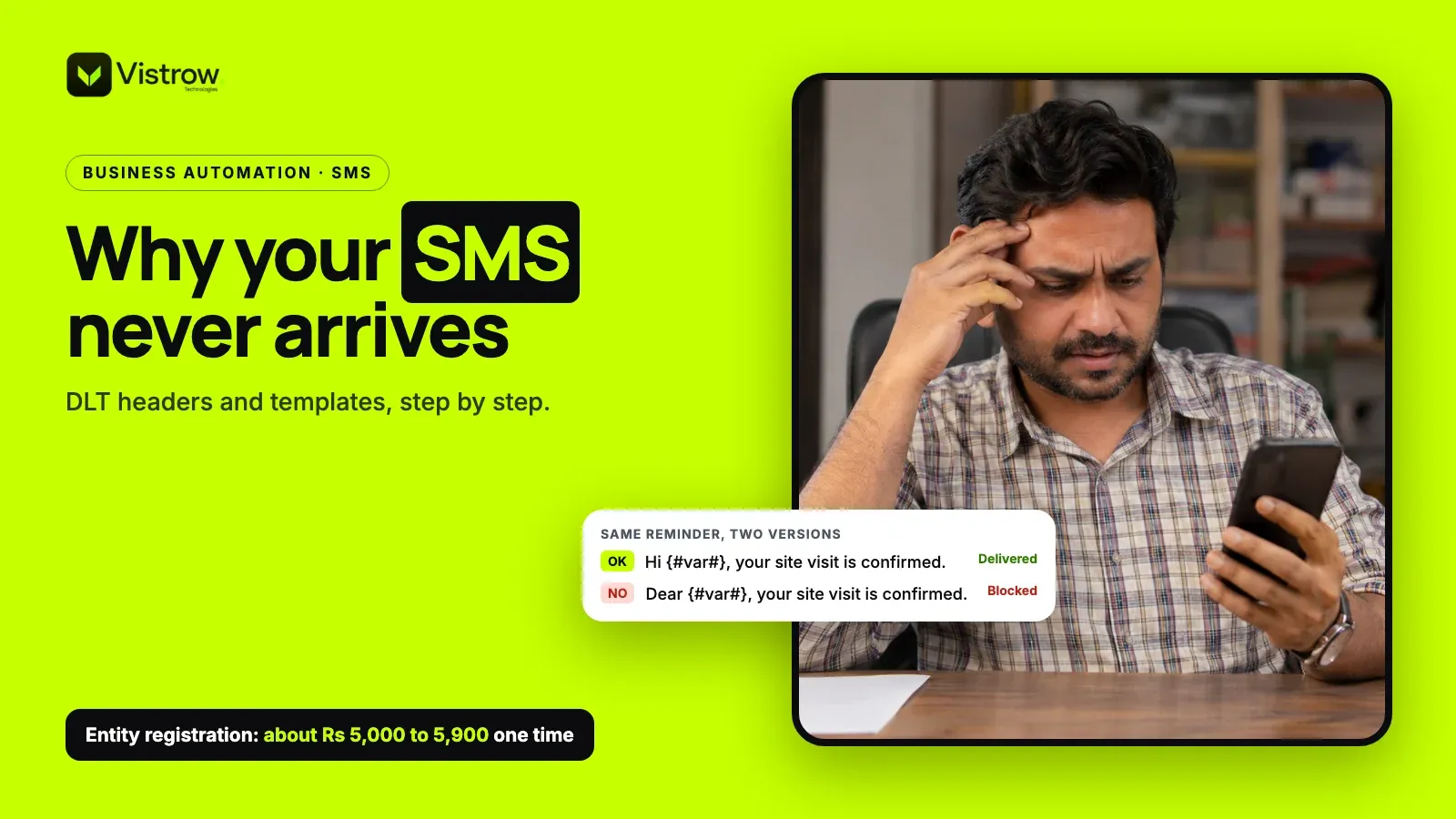
Now see how the same reminder fails. A sales manager decides Hi sounds too casual and changes it to Dear. Someone else appends a shortened brochure link. A third person pastes a long double-barrelled name and a full project title that overflow their slots. Each of these can be blocked, and none looks like a mistake when you read the message on screen.
The fix is dull but reliable. Send exactly the approved wording, keep variable values within the allowed length, and if you want a brochure link, get a template approved that contains it and whitelist the domain first.
| Version | What changed | Likely result |
|---|---|---|
| Approved text | Nothing, only variables filled in | Delivered |
| Greeting changed | Hi swapped for Dear | Template mismatch, not delivered |
| Link added | Unwhitelisted brochure link appended | Blocked at the gateway |
| Oversized variable | Very long name or project text in a slot | Blocked as a variable error |
How to set up DLT registration for SMS in five steps
The order matters because each layer depends on the one before it. Follow the sequence and your first test send is far more likely to land. Skip a step and you usually find out when a live campaign goes quiet.
Whether you do the portal work yourself or hand it to your own team or a vendor, keep the login and approvals in your company's hands. Vistrow does not provide DLT registration or an SMS service, so use this as a checklist for whoever handles it.
- 1
Register the Principal Entity
Submit your business details and documents on one operator's DLT portal and pay the entity fee shown there.
- 2
Register your sender headers
Add the header names you will send under and match each to the right category.
- 3
Categorise and submit templates
Write each message as fixed text with {#var#} slots and tag it as service or promotional.
- 4
Whitelist your URLs
Register every domain you plan to put in message links before you use it.
- 5
Test before any campaign
Send each template to a few real numbers and confirm delivery before going to a full list.
Service or promotional: does the category really matter?
Yes, and it is where teams get caught most often. A reminder a buyer asked for is a service message. A new launch offer to a cold list is promotional. Register a template under the wrong category, or send a promotional message under a service setup, and operators can block it.
Promotional sends also have to respect DND. Sending promotional messages to numbers on the DND list is one of the standard reasons for blocking, and it connects to the wider consent rules in TRAI's regulations. If your team plans bulk outreach, read the consent and DND side before anyone writes copy.
One habit prevents most trouble. Keep a short register listing each template, its category, its header and its exact text. When someone wants a change, they edit the register first, get the new version approved on the portal, and only then update the sending tool.
Do WhatsApp and RCS need DLT registration?
No. DLT registration for SMS applies to the SMS channel only. WhatsApp business messaging runs on Meta's platform with its own template approval, opt-in rules and message charges, described in Meta's WhatsApp documentation. RCS also sits outside the DLT system.
That does not make them rule-free. A WhatsApp marketing template still needs approval and you still need consent. For a team worn down by header and template rework, moving reminders to WhatsApp can cut the SMS maintenance load, though SMS stays useful for people who are not on WhatsApp or have poor data.
Our post on WhatsApp automation for real estate covers templates for each stage and Meta's rules, and the wider channel setup sits under WhatsApp, email and SMS automation.
Test before you send a campaign, then monitor
Run a test send for every template on a few real numbers, across more than one operator if your list is mixed. Check that the header shows correctly, the variables fill without truncation, and any link opens. Repeat the test whenever someone edits wording or adds a link.
After launch, watch delivery on the first batch before releasing the rest. A sudden drop in delivered messages after a copy change points straight at a template or variable problem, and it is far cheaper to catch in the first hundred sends than the first ten thousand. Linking the send to your lead follow-up systems helps, because you can see which enquiries never received their first message.
Done properly, DLT registration for SMS is a one-time setup plus a small discipline of keeping wording locked. Treat the approved template as a contract, and most blocks disappear.
Frequently asked questions
Is DLT registration mandatory for sending SMS in India?
Yes, for commercial SMS it is. Under TRAI's TCCCPR regulations, businesses sending promotional, transactional or service messages must register as a Principal Entity on an operator's DLT portal, register sender headers and get message templates approved. Messages that do not match a registered header and template are not delivered.
How much does DLT registration cost?
Vendor sources commonly quote about Rs 5,000 to 5,900 one time for Principal Entity registration on the first operator portal. These figures are indicative and not from TRAI. Header and template fees vary by operator, so check the fee schedule on the portal you register with before paying anyone.
Why is my SMS not delivered even though DLT is registered?
The usual cause is a mismatch. The text may differ from the approved template, a variable may be too long or the wrong type, a link may not be whitelisted, or the message may use the wrong header or category. Promotional messages sent to DND numbers are also blocked.
What is a DLT template and what does {#var#} mean?
A DLT template is the approved wording of a message, with fixed text and variable slots. The {#var#} marker stands for the part that changes per recipient, such as name, date or project. Everything outside the variables must match the approved text exactly when you send.
Do WhatsApp and RCS messages need DLT registration?
No. DLT applies to SMS. WhatsApp business messaging runs on Meta's platform, with its own template approval, opt-in and pricing rules. RCS also sits outside the DLT system. You still need to follow the rules of whichever channel you use.
Do the DLT rules keep changing?
Yes. TRAI notified its Second Amendment Regulations on 12 February 2025, and vendors report further changes such as header suffixes, variable tagging and URL whitelisting. Treat vendor summaries as a guide and confirm the current requirement on your operator's DLT portal before building campaigns.
Comments